
Why Knowing the Client’s Name Is a Game-Changer
Let’s be honest—clients receive dozens (sometimes hundreds) of proposals.
Most of them start like this:
“Hello,”


“Hi there,”


“Dear Hiring Manager,”
That already feels generic.
Now compare it to:
“Hi Sarah,”
“Hey John,”
It immediately feels:
- More personal
- More intentional
- Less like spam
Here’s what actually happens:
- You build instant trust – It shows you did your homework
- You stand out in the first line – Which is all you get sometimes
- You increase reply rates – Because your message feels human
In a competitive platform like Upwork, this small detail can be the difference between getting ignored and getting a reply.
How to Find the Client’s Name (Manual Method)
Upwork doesn’t always show the client’s name directly on the job post. But in many cases—you can find it.
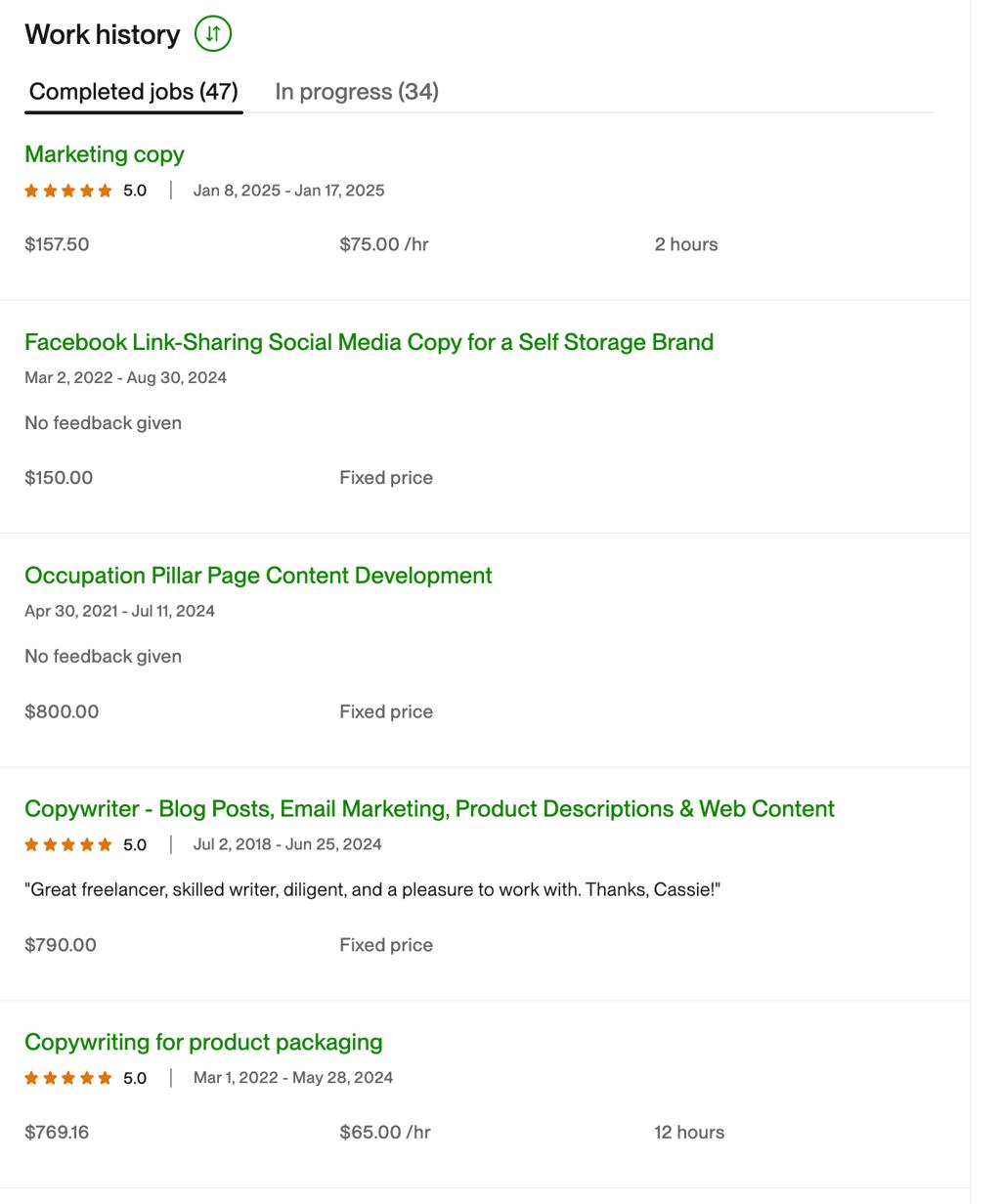
1. Check Client Reviews
Scroll down to the client’s history.
Other freelancers often leave feedback like:
“Great experience working with Michael…”

“Thanks Anna for the opportunity…”
💡 That’s your clue.
2. Look for Patterns
Sometimes multiple reviews mention the same name.
- If 3–5 reviews say “David” → it’s very likely correct
- If names vary → skip it (don’t guess)
3. Cross-Check Carefully
You want to be confident.
If you're not at least 80–90% sure, it’s better to stick with:
“Hi there,”Instead of risking:
“Hi John,” (when it’s actually Sarah 😅)The Problem With Doing This Manually
This method works—but it has some downsides:
- Takes extra time per proposal
- Requires scrolling and reading reviews
- Breaks your workflow
- Easy to miss or misidentify
And when you’re sending multiple proposals daily, this becomes inefficient fast.
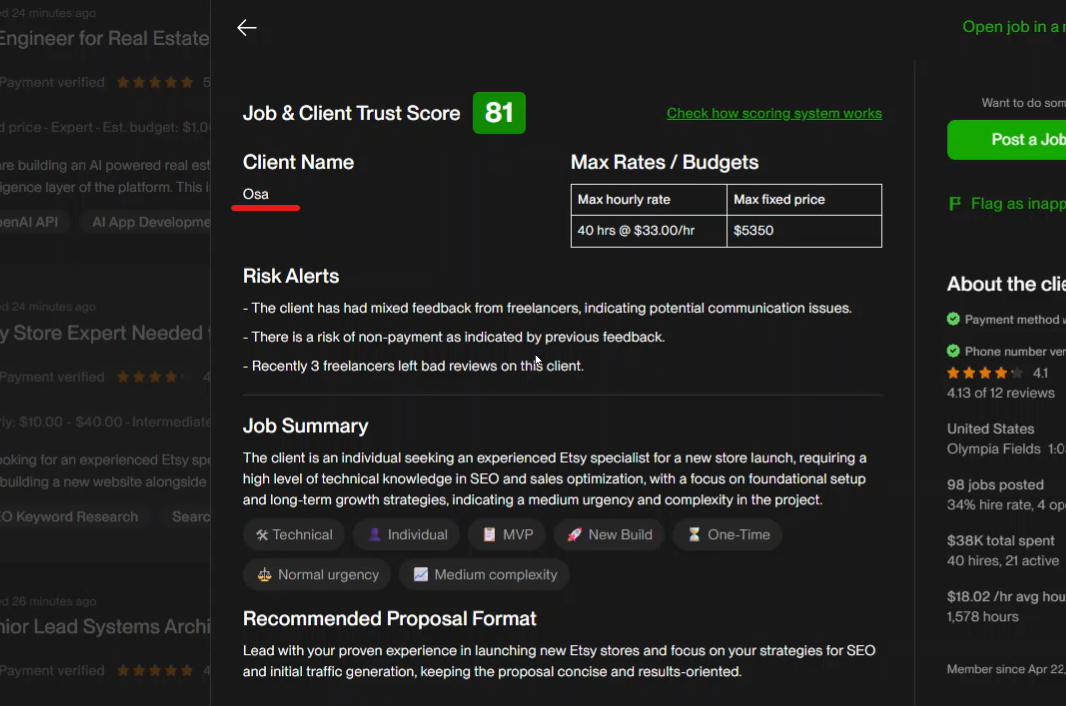
A Smarter Way: Use BidPilotPro 🚀
This is exactly why we built BidPilotPro.
Instead of manually digging through reviews…
👉 You can extract the client’s name with one click.
What it does:
- Scans client reviews instantly
- Detects the most likely client name
- Injects it into your proposal automatically
- Saves you minutes on every single bid
Why this matters:
If you send:
- 10 proposals/day
- Save ~3–5 minutes each
That’s 30–50 minutes saved daily—and more importantly, you’re sending better proposals.
check here. https://www.bidpilotpro.com/blogs/upwork-client-job-analysis-score-system